

Survizo / For research agencies
For research agencies
Run a branded customer community for every client, from one login.
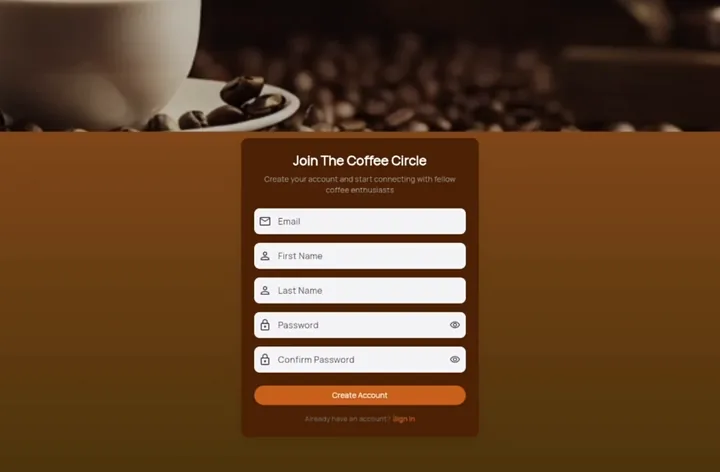
Survizo hosts an online community of each client's customers, in the client's brand. One platform covers surveys, discussions, video answers and live interviews, so you can say yes when a client asks for community research.
Your team runs every community from one login. A new client's members can answer their first question on the day you set up their community.
Your client's community
Your client's brand, from the invitation to the final report.
- Address
- Each client's community gets its own web address, such as brandname.survizo.com, secure from the first day.
- Look
- Their logo and colours on the sign-in page, every screen and the browser tab.
- Invitations, reminders and notifications arrive in their design. Notifications carry the community's name from day one. Confirm an email address of your own, and invitations and reminders come from it too.
- Invitations from the client's own WhatsApp Business number, to people who have opted in.
- Hand-over
- The slide deck opens with the community's logo and name. The Excel file names the community on its first sheet.
Members see the client's brand throughout, and Survizo's name only in a few set places, such as the web address and the sign-in code email. The branding page lists every one, so you can tell a client exactly what they will see.
The problems
What clients ask for, and how you deliver it.
The client needs answers this week, and you're starting from zero.
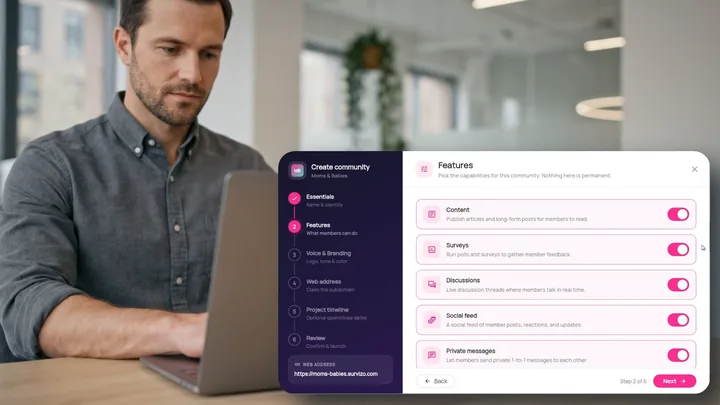
Set up a community yourself in six steps and ask the first question the same day. Describe the brief and the AI drafts the questions. If the client already approved a questionnaire in Word, bring it in and Survizo turns it into a draft survey you check question by question.
A focus group gives each person only a few minutes to talk.
A discussion stays open for days, so people reply when they have something worth saying. When you need to see faces, book a live video interview in the browser. Afterwards, tap any line of the transcript and the recording plays from there. Discussions and interviews sit beside your surveys in one product, so your team learns one tool instead of three.
Every client wants it to look like theirs.
Each community has its own web address, logo, colours and emails. A single survey can wear a different logo and colours, such as one of the client's other brands, while the community keeps its own look.
The client wants to see progress without a weekly call.
Give your contact at the client a sign-in of their own. You choose what they can see and do, from view only up to full access. They never see members' email addresses in the results. Everything they do is logged under their own name, so you always know who changed what.
The client wants the answers in their own CRM.
When a member finishes a survey, Survizo adds their scores and answers to their contact in the client's CRM, so the client's team sees what each customer said. The client's other systems can connect too, so their own tools act the moment a survey is finished. Your plan decides which connections are included, and we confirm them on the fit call.
The client's team picks the deck apart.
The slides, the Excel workbook and the SPSS file come from the same numbers, so every figure on a slide matches the workbook. Every AI-drafted report records the sources it used and how much of each it read. When the client asks where a finding came from, the answer is already in the document.
The work
From brief to final report, in six steps.
Your team runs every step. Under each step, you'll see what the client's members see while you work.
Set up
Name the community, add the client's logo and colours, and choose its web address.
What members seeThe client's community, from the first page.
Invite
Upload the client's customer list with the details they already hold, such as city or loyalty tier. Then invite by email, or from the client's own WhatsApp Business number to people who have opted in.
What members seeAn invitation in the client's brand, with one button. Before they join, they read what joining means and agree to it.
Ask
Write the survey, have the AI draft it from your brief, or bring the questionnaire you already have in Word. Post a quick poll in the community when you just need a fast answer.
What members seeShort tasks on their phone.
Listen
Open a discussion, ask for answers on camera, or book a live interview with the members you choose.
What members seeA thread they can reply to, a record button, or a call in their browser. Recording starts only once each person has said yes.
Make sense of it
Compare groups of members on any question, pull themes from what people wrote, and have the AI draft the report for you to edit.
What members seeNothing. This part is yours. The AI never analyses their private messages.
Hand over
Export the Excel workbook, the SPSS file and an editable slide deck, or send the results to the client's CRM.
What members seeA community that's still there for the next project.
Next up
Two more pages for agency work.
The next step
Book a fit call.
Bring a study you have coming up. We'll spend thirty minutes on it with you, and you'll leave knowing whether Survizo fits and how soon you could launch.
Run your communities on a subscription, or ask us to quote for a single project, such as one community for the length of one study.